
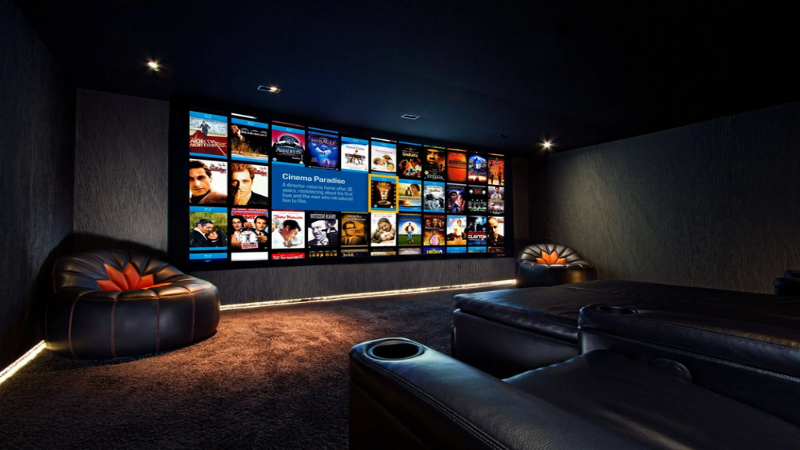
Home theater system maintenance is the routine process of checking, cleaning, calibrating, and updating audiovisual equipment to preserve reliable performance. After a home theater system installation, regular care can help maintain picture accuracy, balanced sound, stable connections, and responsive controls.
Scottsdale homes can present additional considerations because dust and heat may affect electronics, ventilation openings, and equipment cabinets. A practical maintenance schedule allows homeowners to identify minor concerns before they disrupt movies, music, sports, or gaming.
How Often Should a Home Theater Be Checked?
Basic checks can be completed every few months, while a more thorough system review may be appropriate once a year or after equipment, furniture, or room finishes change.
Maintenance may be needed sooner when homeowners notice:
- Dialogue that is difficult to understand
- Uneven sound between speakers
- Frequent buffering or connection loss
- Delayed remote or control responses
- Excessive heat around components
- Dust collecting on vents or speaker grilles
- Changes in picture color or brightness
- Loose, damaged, or exposed cables
- Software update notifications
- Components that unexpectedly restart
The appropriate schedule depends on how often the theater is used, whether it occupies a dedicated room, and how much dust enters the space.
Why Does Audio Calibration Need to Be Reviewed?
Audio calibration adjusts speaker levels, distances, timing, equalization, and subwoofer performance for the seating area. These settings help sound from different channels reach listeners in a coordinated way.
Calibration can become less accurate when furniture is moved, a new rug is installed, wall treatments change, speakers are repositioned, or equipment is replaced. Even moving the primary seating position can affect the listening experience.
Homeowners should avoid changing advanced receiver settings without documenting the original configuration. Small adjustments may have broad effects across several speakers or sources.
If dialogue becomes unclear or surround effects sound uneven, the system may need to be measured and recalibrated. The goal is not simply to make every channel louder. It is to create a balanced sound field in which voices, music, and effects remain distinct.
When Should the Picture Be Recalibrated?
Picture settings influence brightness, contrast, color, sharpness, motion handling, and detail in dark scenes. A television, projector, or microLED display may arrive with vivid showroom settings that do not suit the lighting conditions in a home.
Recalibration may be appropriate after replacing a display, changing the room’s lighting, adding motorized shades, moving the screen, or installing a different media source. Projector performance can also change as its light source ages or dust accumulates around ventilation areas.
Different sources may output different formats and resolutions. If one device looks correct while another appears washed out or unusually dark, the issue may involve source settings, input configuration, or signal compatibility rather than the display itself.
Homeowners should record current settings before making changes. This makes it easier to restore a known configuration if an adjustment does not improve the image.
How Should Home Theater Equipment Be Cleaned?
Electronics should be turned off and allowed to cool before cleaning. A dry microfiber cloth is generally appropriate for exterior surfaces, but product-specific instructions should always be followed.
Cleaning liquids should not be sprayed directly onto displays, speakers, receivers, control panels, or remotes. Liquid can enter openings, damage finishes, or leave residue on sensitive surfaces. Abrasive cloths and household glass cleaners may also harm display coatings.
Speaker grilles can collect dust and should be cleaned gently without pressing against the drivers behind them. Equipment vents need to remain open so components can release heat. If an equipment rack or cabinet has active ventilation, its fans and filters should also be inspected.
Projector lenses require particular care. Improper wiping can scratch the lens or affect its coating, so cleaning should follow the manufacturer’s guidance.
Why Are Ventilation Checks Important in Scottsdale?
Receivers, amplifiers, media players, network equipment, and control processors generate heat during operation. When dust blocks ventilation or components are tightly stacked, internal temperatures can rise.
Scottsdale’s warm climate makes equipment ventilation especially important. Electronics should have adequate clearance around their vents and should not be enclosed in a cabinet without a suitable method for moving warm air away.
Warning signs of heat-related trouble include unexpected shutdowns, distorted audio, slow performance, or components that feel unusually hot. Equipment should not be covered, and storage items should not be placed against ventilation openings.
A properly planned home theater setup considers ventilation, equipment access, cable organization, and future maintenance from the beginning.
Which Software and Firmware Updates Matter?
Modern home theaters may include smart displays, receivers, streaming devices, remotes, network hardware, control systems, and connected audio components. Many of these products receive software or firmware updates.
Updates may improve security, resolve compatibility problems, add format support, or correct performance issues. However, updating every component simultaneously can make troubleshooting difficult if something stops working.
A more controlled approach includes:
- Reviewing what the update changes.
- Recording important settings.
- Confirming account and network information.
- Updating one major component at a time.
- Testing common functions afterward.
- Checking programmed scenes and control commands.
Automatic updates may be suitable for some consumer devices. Integrated control systems may require additional testing to confirm that all components continue communicating correctly.
What Should Be Checked Around Cables and Connections?
Cables should remain supported, organized, and clear of sharp bends or excessive tension. Connections can loosen when furniture is moved, equipment is cleaned, or components are accessed.
Homeowners can visually inspect cables for damaged insulation, bent connectors, pinched sections, or labels that have fallen off. Power and signal cables should not become tangled around ventilation openings.
If video briefly disappears or audio cuts in and out, a failing connection may be responsible. Repeatedly unplugging cables without identifying their destinations can create additional problems, so labeling and documenting the system is valuable.
How Can Network Performance Be Maintained?
Streaming and wireless audio depend on a stable home network. Network maintenance may include restarting equipment when appropriate, installing security updates, checking access-point coverage, and removing unused connected devices.
If performance problems affect several services at once, the network may be the common cause. Buffering, delayed controls, or missing audio zones do not always indicate a problem with the theater equipment itself.
Keep the System Ready for Everyday Use
Consistent maintenance helps preserve the performance established during home audio installation and theater calibration. Cleaning, ventilation checks, software updates, cable inspections, and periodic recalibration should be approached as parts of one coordinated system.
Homeowners who notice recurring audio, picture, control, or network problems should arrange a professional system assessment before replacing individual components.